


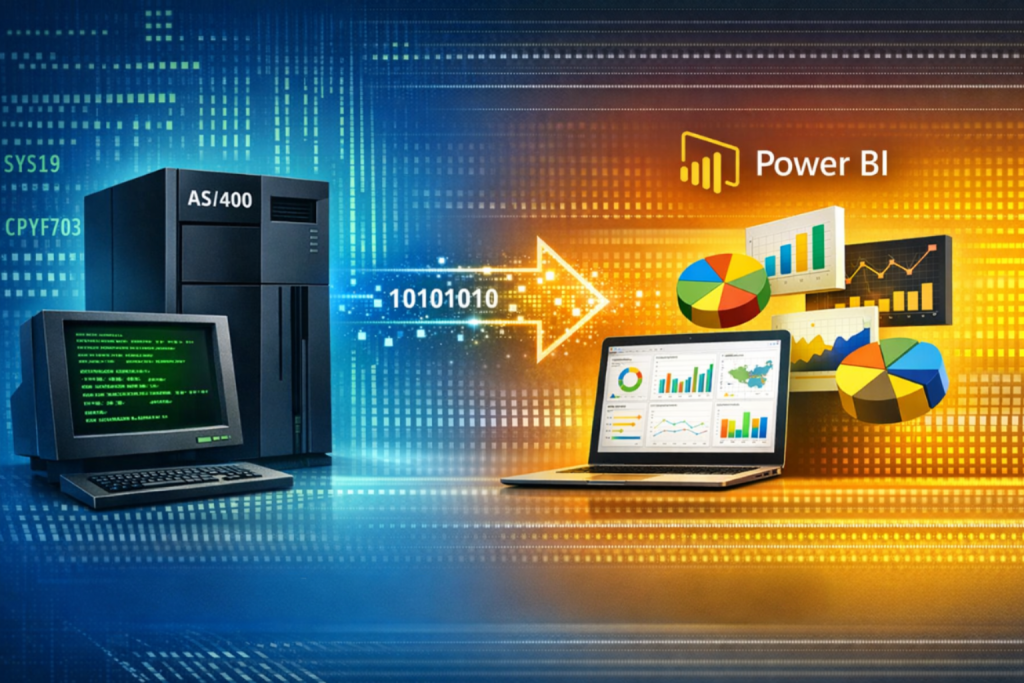
Lately we have been working with a client that has an AS/400 that powers their business. Working with the AS/400 has brought back great memories for me from all of the different projects I have worked on that had AS/400 back ends. In the past, I integrated SharePoint portals, Windows applications, web apps, and mobile apps with the AS/400 and built reports using tools as ancient as Crystal Reports. Now, the reporting capabilities Power BI provides make it easier than ever to connect to AS/400 data and build powerful reporting capabilities. In this article, I’m going to describe how you can use Power BI to create awesome reports from data stored in an AS/400.
If your core operational data still lives in an AS/400 (IBM i / iSeries) environment, you’re not alone. Those systems are durable and mission-critical, but the reporting layer around them is often the opposite: static, slow to change, and heavily dependent on a handful of people who know the “right” queries and files.
The good news is, you can build modern Power BI dashboards and enable true ad hoc reporting on top of legacy systems (including IBM i / Db2) without ripping anything out. In many organizations, it’s realistic to deliver department-ready dashboards in as little as 1–2 months when you start with a focused scope and reuse patterns.
What Power BI on AS/400 actually looks like
Power BI doesn’t need your AS/400 to be “modern.” It just needs reliable access to the data.
Common data access patterns include:
-
Connecting directly to IBM i Db2 tables/views using supported connectors (IBM Db2) and standard connectivity options.
-
Using ODBC where that’s the right enterprise standard (especially in mixed environments).
-
Using an on-premises data gateway to securely bridge cloud Power BI to on-premises systems (typical for IBM Db2 connections in Power Query).
The Right Approach
Throughout my career I have come to understand that when people hear “BI project,” they think “six months and a data warehouse.” That may have been the case in the past, but now it is not required to create real value.
A realistic 1–2 month outcome can include Departmental KPI dashboards + Self-service ad hoc reporting capabilities.
A typical 1-2 month project looks like this:
Week 1: Identify the “decision maker’s questions”, not reports
Instead of setting out to simply recreate the monthly report, ask decision makers questions like:
-
What does the department decide on a daily/weekly/monthly/quarterly/yearly basis?
-
What do they monitor on a daily/weekly/monthly/quarterly/yearly basis?
-
Where do they lose time asking for IT to make reports?
- Where do they lose time asking for IT to create CSV (or other) data files so they can integrate the data with other systems?
Consolidating dispersed data and improving visibility is where the value typically shows up fastest for stakeholders.
Weeks 2–3: Build a clean semantic model (the “single source of truth” or “gold standard”)
This is where Power BI shines because it allows you to easily build the data model by following this simple process.
-
Connect to AS/400 / Db2 / ODBC sources
-
Shape, transform, and standardize the data in Power Query
-
Create common measures (KPIs)
-
Validate the model with business users
Weeks 4–6: Develop and publish dashboards + enable self-service ad-hoc reporting
At this point we develop and deploy the initial dashboards and reports which typically include:
-
A small set of role-based dashboards
-
Drilldowns for managers
-
Self-service ad hoc reports for analysts to “Explore” data
-
Shared datasets/semantic models so people can build their own views (governed self-service)
Weeks 6–8: Security, deployment, metrics
Once the reports are functioning as expected, the following activities take place to ensure the app is secure, able to be enhanced in the future, and measured to provide information regarding how the reports are being used and also to determine if any enhancements are needed in the future.
-
Apply row-level security
-
Distribute as an App to all users
-
Enable usage metrics
-
Establish an iteration loop
Keep in mind! “No code” doesn’t mean “no logic” – it means no application deployment.
One of the biggest advantages of Power BI is that you typically don’t write or deploy application code to ship Power BI reporting dashboards.
Most of the work involves:
-
Point-and-click data shaping (Power Query)
-
Modeling relationships
-
Creating measures and calculations (often with DAX – still inside the report/model, not a deployed app)
-
Publishing through the Power BI Service
That’s why it’s possible to develop Power BI reports so quickly: you are not building a new web app, deploying services, or rewriting the legacy platform. You’re layering a modern analytics experience on top of your existing legacy data sources.
View reports from any device: web, mobile, tablet
Once published, Power BI content is accessible across device types! Here’s all the ways you can make the reports available.
-
Web distribution as Power BI Apps (curated collections for users)
-
Mobile consumption through official Power BI mobile apps
-
Secure embedding in internal portals while respecting permissions and RLS
-
For external/customer-facing apps, Power BI Embedded supports embedding reports/dashboards into your product
Security trimming to ensure the right people see the right data
This is where Power BI is enterprise-ready and ensures all your data is secure, no matter who opens the reports.
Row-Level Security (RLS)
RLS restricts data at the row level by user/role.
Workspace/App/Audience controls
You can publish an app and define multiple audiences so different groups see different content.
Microsoft’s workspace role guidance explicitly ties Viewer access + RLS enforcement together.
In practice, that means:
-
Finance employees see finance data
-
Regional managers see their region’s data
-
Executives see rolled-up KPIs across all data they should have access to
Practical tips for success
Following these simple tips will increase your chances for a quick and successful delivery.
-
Move from static reports to reports that allow people to interactively explore data.
-
Collaboration and sharing matter as much as building the reports.
-
Operational visibility is the quickest win. It allows users to spot trends early, reduce reaction time, and align teams around the same KPIs.
-
Real-world use cases and repeatable templates accelerate delivery. Case studies show that the same dashboard patterns (Ops, Finance, Sales, Inventory) repeat across industries.
-
Start with one department and one or two subject areas (e.g., orders + shipments), then expand.
-
Choose Import vs DirectQuery intentionally by considering the following factors:
-
How fast the reports load data
-
How fresh the data needs to be
-
What performance load the report queries have on the databases server that your reports query
-
Summary
You don’t need to replace your AS/400 to provide modern reporting for your company!
With Power BI, you can:
-
Connect to IBM i / Db2 via supported connectors and standard gateways
-
Deliver departmental dashboards and ad-hoc reporting quickly (often within 1–2 months with a focused scope)
-
Avoid building/deploying custom application code (most work stays inside the BI layer)
-
Publish to web/mobile and distribute securely using Apps, embedding, and RLS
I hope you found this helpful!